by Licious

Platform
App
My Role
Design Manager
Industry
Retail
Product Duration
3 MONTH
Every morning, before the city fully wakes, Ravi straps on his Licious delivery bag and mounts his bike, ready to race against time. Rain or shine, through choked traffic and impatient honks, he weaves his way to doorsteps, each delivery a ticking clock. Behind every neatly packed meat box lies a silent struggle—long hours, tight targets, and hours of battling the insane traffic in all weathers.
The last thing Ravi wants is a bad user experience with his app, but sad to say, it has been the case far too often. Poor readability, too many clicks before attempting a delivery
To make matters worse, the app's previous dark theme was a significant oversight. Picture this: you're standing in bright sunlight, trying to figure out an address, and all you can see on your screen is your own reflection.
And that's where be believed, that Ravi and every of out delivery executives deserves a better experience. A redesign made with empathy.

A redesign just for the sake of better UI will not produce any ROI, unless it solves a massive problem statement. That's when we decided to propose the redesign with better metrics and objectives to solve.
Through shadowing sessions with hub managers, interviews with delivery executives (DEs), and data analysis, we uncovered three key issues:
Low Transparency & Morale: DEs perceived favoritism in assignment, leading to dissatisfaction and high attrition.
When designing for your internal users, one very very important factor to consider is the time to execute tasks and to optimise. Faster task execution for internal users saves time, cuts effort, and drives better, faster work every day.
We introduced a two-stage allocation system:

Communicating incentives:
So, a clear motivator is needed to get them to accept such effort taking tasks, therefore we have decided to show the incentive they obtain from accepting the trip in the forefront.
Previously, DEs had only a list-based view of orders with static addresses. This meant:—no visual routes, leading to confusion and delays.
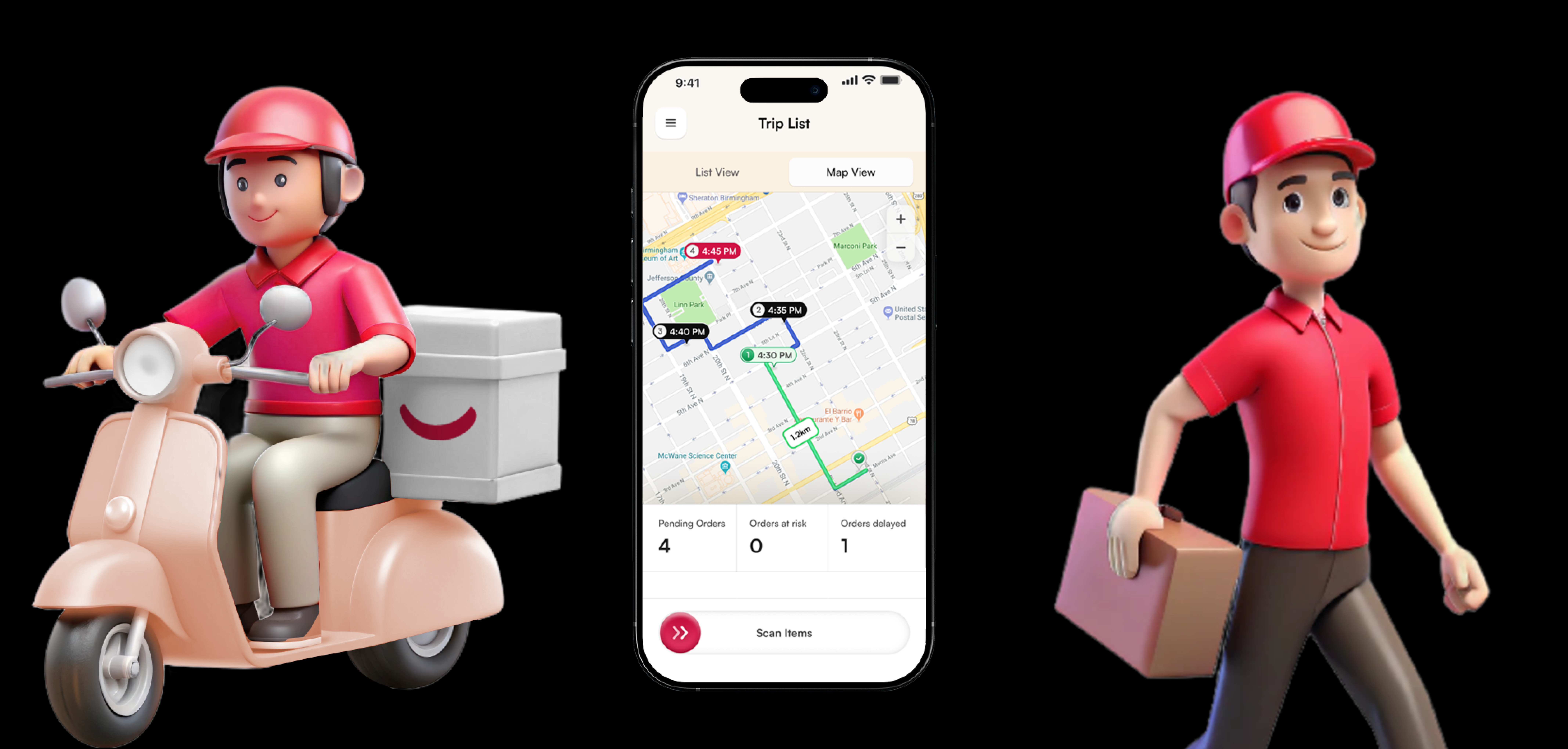
🎯 Design Insight: Inspired by ride-hailing apps, we introduced a Map View to give DEs real-time route visibility, drop timings, and trip stats.
⚙️ Key Features:
• Stop markers with timestamps
• Live location tracking
• Trip distance, orders, and earnings upfront
• Easy toggle with List View
The result? Quicker trip comprehension and smoother deliveries.
🎯 Design Insight: What if the DE knew exactly how to load the bag, so every delivery came out in perfect sequence?
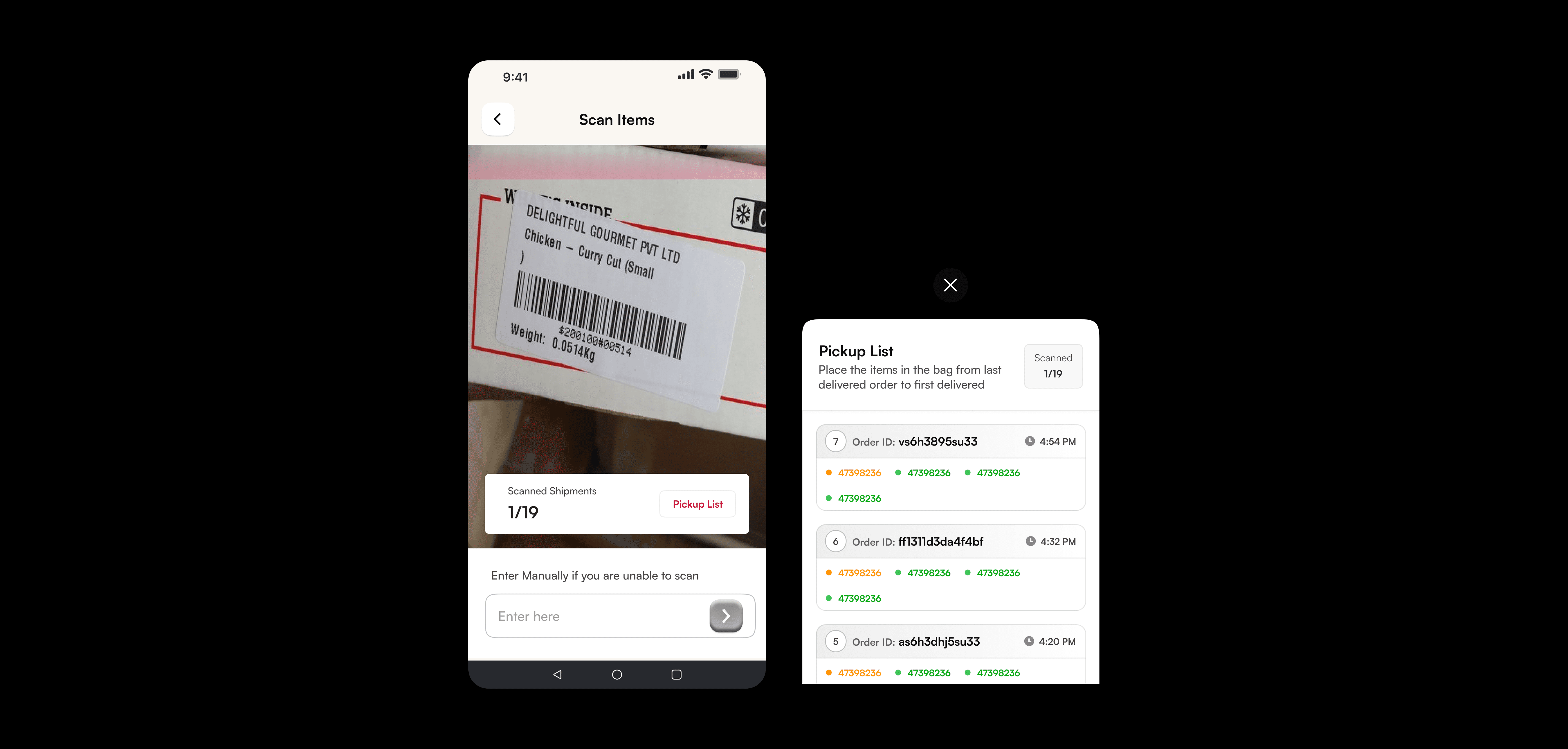
⚙️ Our Fix: We redesigned the Scan Items flow with thoughtful packing logic at its core.
The new Pickup List view displays orders in descending delivery order—so the last delivery is scanned and packed first, and the first delivery ends up on top (in the screens below)
This simple logic created a clear, frustration-free flow at the door.
Real-time scan progress (e.g. 1/19) keeps DEs informed.
Color-coded tags—green for scanned, yellow for pending—provide immediate visual feedback.
Manual entry remains available for backup when scanning fails.
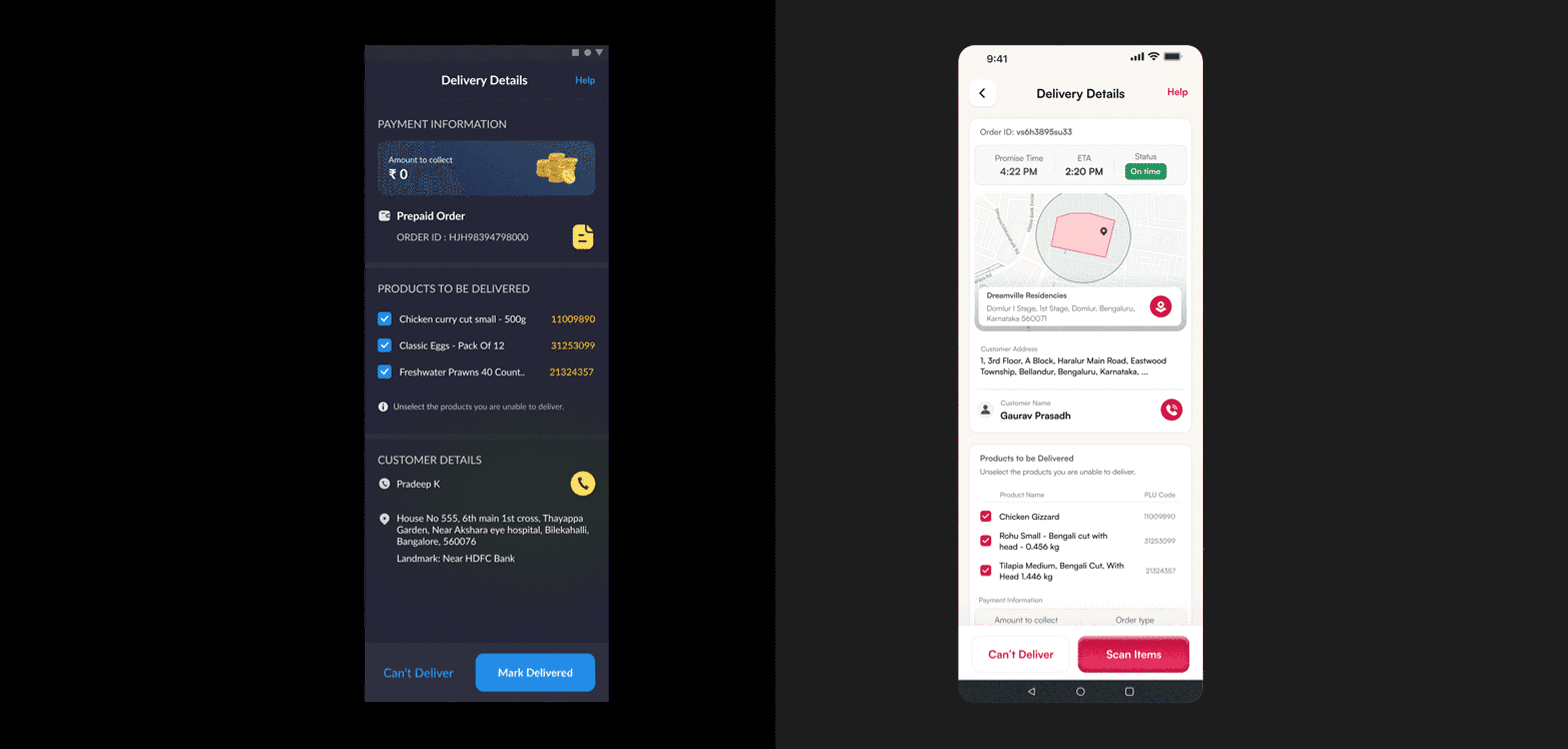
The older delivery screen was packed with information—but not in a way that supported DEs when it mattered most: right outside the customer's door.
🧭 During my ride-along, I noticed a DE fumbling between fields—order ID here, address there, products somewhere else. Toggling between mental tabs while standing in front of a customer wasn't just inefficient, it was stressful.
🎯 Design Insight: DEs needed a glanceable, focused interface that mirrors their on-ground flow—not a dashboard meant for a desktop.
⚙️ Our Fix: We overhauled the Delivery Details screen to align with how deliveries actually happen.
• Map-first layout shows geo-accuracy and confidence in location.
• Promise Time + ETA gives clarity on punctuality, right upfront.
• Contact and address info grouped together for one-tap access.
• Delivery items clearly listed with product names and PLU codes for quick visual checks.
• Action buttons—“Can’t Deliver” and “Scan Items”—are given weight and space, making them easy to access under pressure.
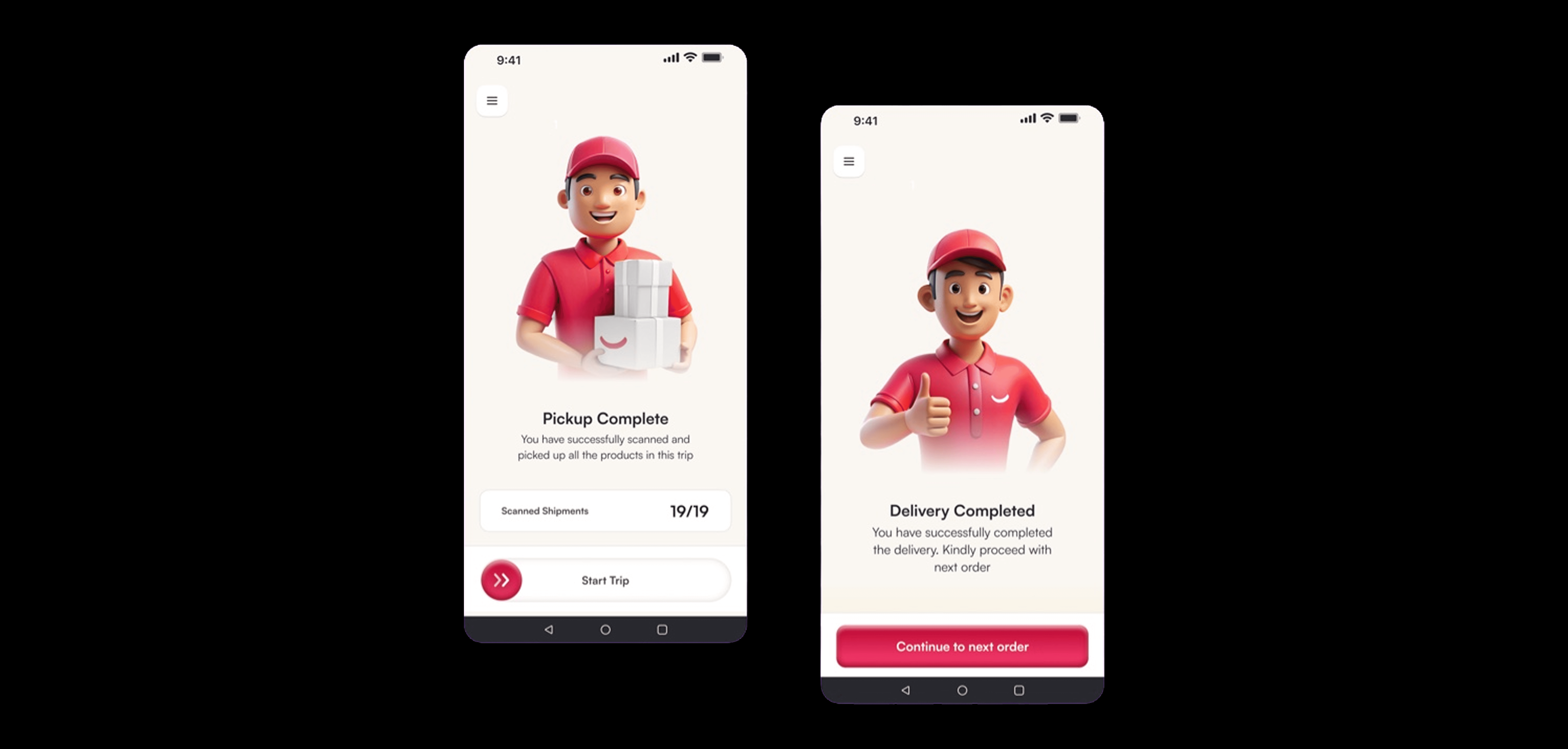
Not every design decision needs to be utilitarian—some are just meant to make someone smile.
In the final delivery screens, we softened the tone, brightened the colors, and made the buttons feel almost toy-like—rounded, bouncy, and friendly. Paired with a cheerful DE mascot giving a thumbs-up or holding packages with a grin, these screens aim to do one thing: put a small smile on the face of someone who's been on the road for hours.
From "Pickup Complete" to "Delivery Completed," we used kind, affirming language to celebrate progress and encourage momentum
Through this redesign, I wasn’t just solving for efficiency metrics or operational KPIs. I was solving for people. For the DE who zips up his bag hoping the next stop doesn’t make him look disorganized. For the one racing to meet SLAs while juggling addresses and packages. For all those who make the last mile look easy—even when it’s anything but.
By walking in their shoes—literally—I learned the difference between building for someone and building with them.
This wasn’t just a UX challenge. It was a chance to honor the invisible effort behind every successful delivery.