by Licious
Platform
Desktop
My Role
Design Manager
Industry
Retail
Product Duration
3 MONTH
At Licious, the picking and delivery process was facing a bottleneck: manual, inconsistent order grouping. Hub Managers relied on informal heuristics or tribal knowledge of delivery zones, leading to poor delivery executive (DE) utilisation, delayed deliveries, and high operational costs.

Before the rollout, the process of grouping orders relied heavily on manual judgment—often based on a basic understanding of known KMLs (Known Movement Locations) or non-standard logic. This lack of structure led to:
•Suboptimal geo-clustering of orders
•Inefficient use of delivery executives (DEs)
•Delays in delivery
•Decreased capacity utilization
The Batching initiative aimed to solve this by introducing algorithm-driven clustering and guided workflows. My role as the Sr. Product Designer Manager was to ensure this operational transformation was usable, intuitive, and trustworthy — for on-ground teams and system dashboards alike.
How might we design a system that empowers Hub Managers to batch and dispatch orders efficiently, without cognitive overload or delays?
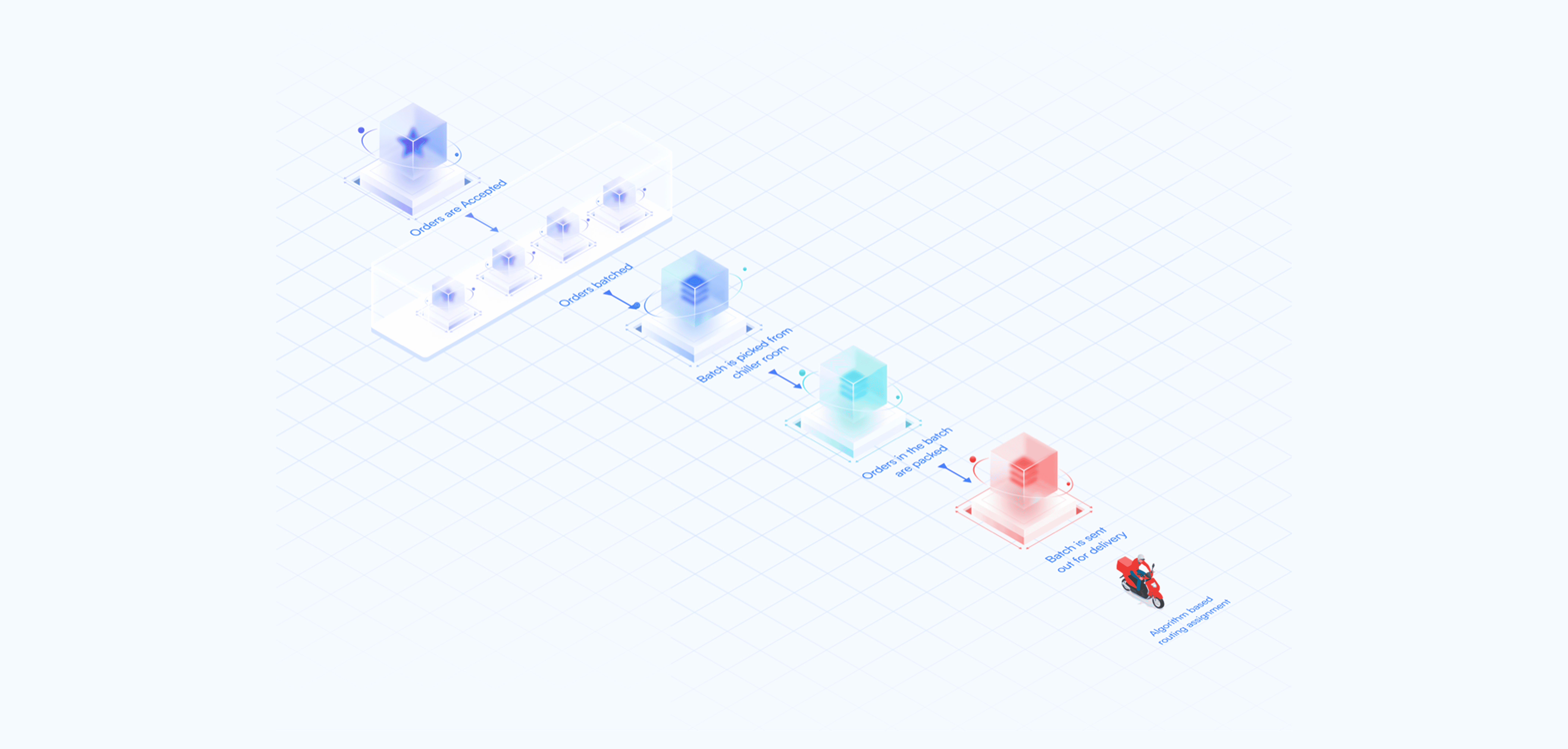
We were not just introducing new functionality. We were reshaping the mental model of how orders flow—from acceptance, batching, picking, packing, all the way to dispatch.
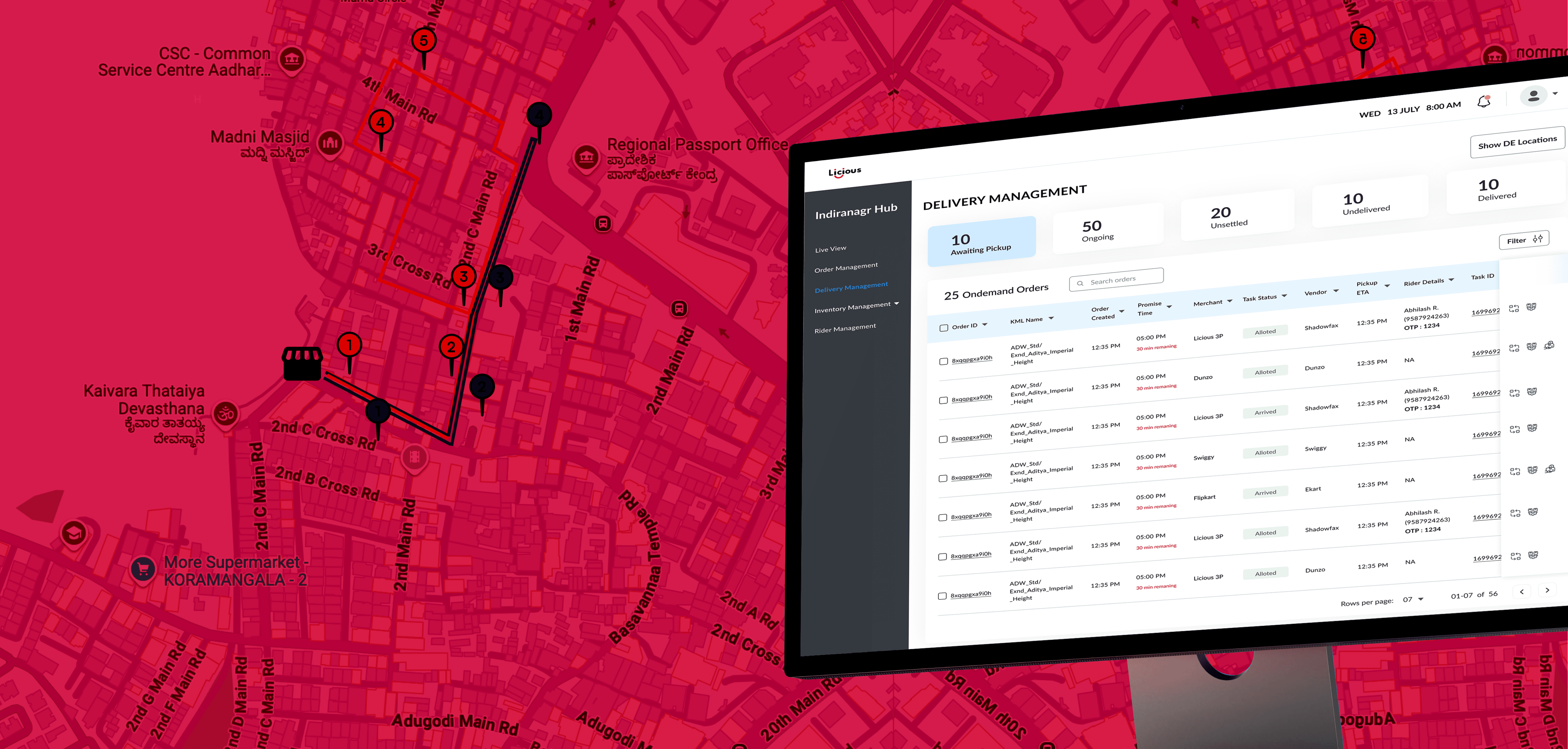
This necessitated a complete redesign of the order management dashboard to create a fresh, new look that meets the specified requirements.
Old Flow:
•No standard logic for grouping orders — hub managers relied on tribal knowledge or static KML familiarity.
•Resulted in inconsistent clusters, poor delivery routes, and wasted DE capacity.
•Picking was done per order, even if 20 orders were going to the same neighborhood.
•No urgency-based sorting or alerts for missed cutoffs.
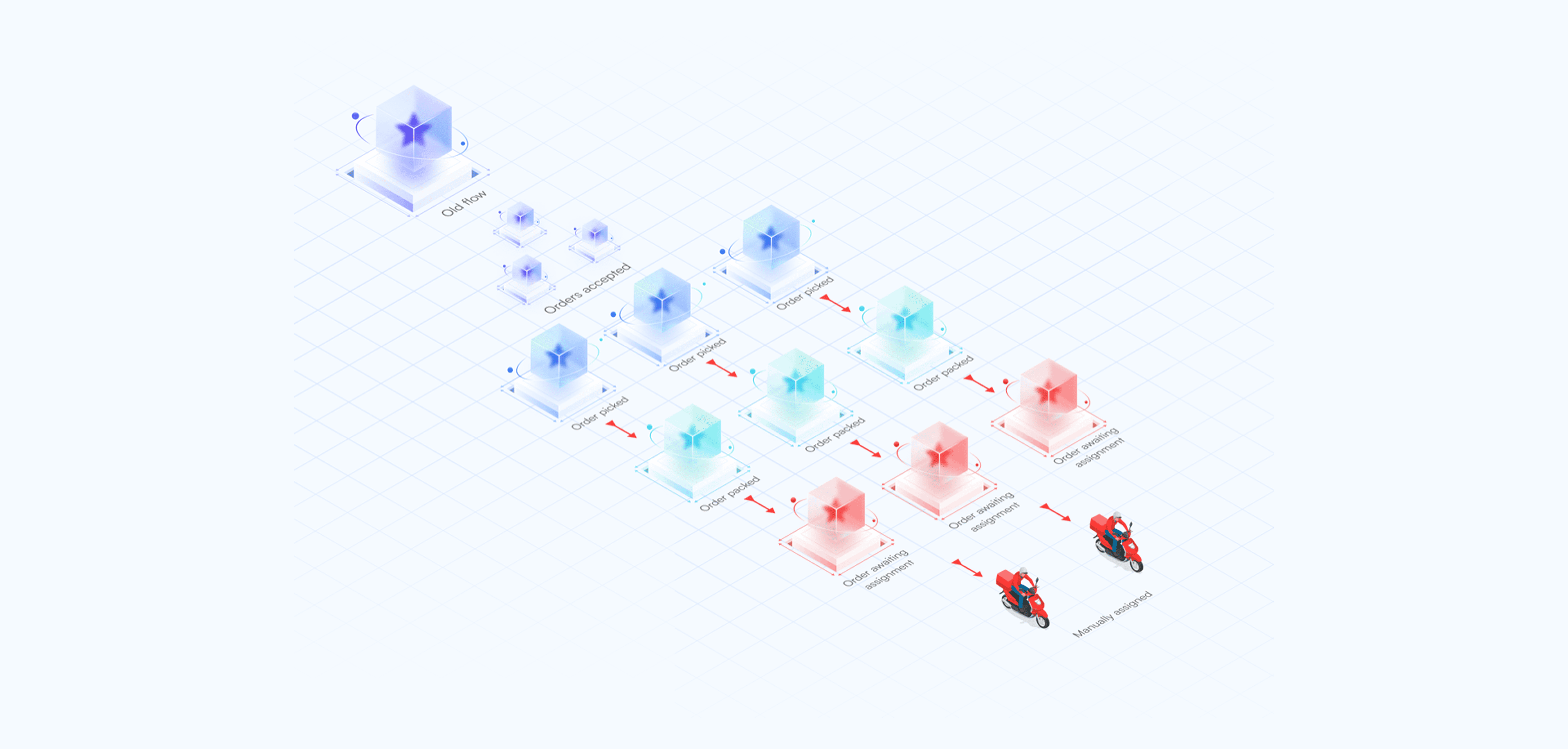
New Flow:
•Algorithm-driven, geo + SLA optimized using clustering and VRP
•Dynamic “Assign Rider In” & “Start Trip In” timers with color-coded urgency
•Bulk assignment for batches with eligibility filters
•Full control: batch summary view, discard/recreate options
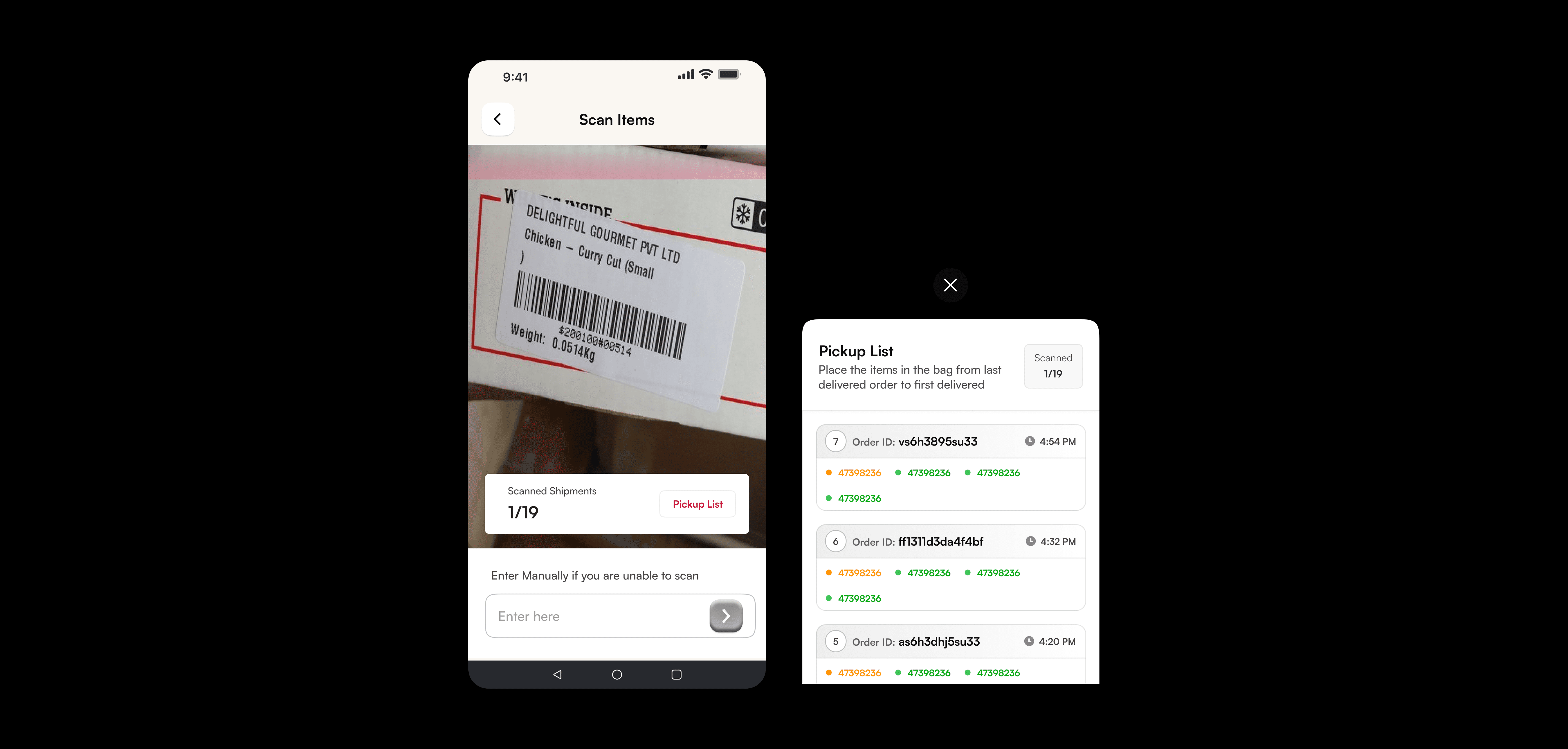
•Guided picking via Scan App + expiry-first suggestions
•Conducted user interviews with Hub Managers and Ops team to understand their current workflows, pain points, and mental models.
•Analyzed live dashboards and Excel-based workarounds being used on the ground.
•Studied constraints from engineering (VRP, clustering, capacity logic) and business (SLAs, FEFO, DE cost optimization).
Insights:
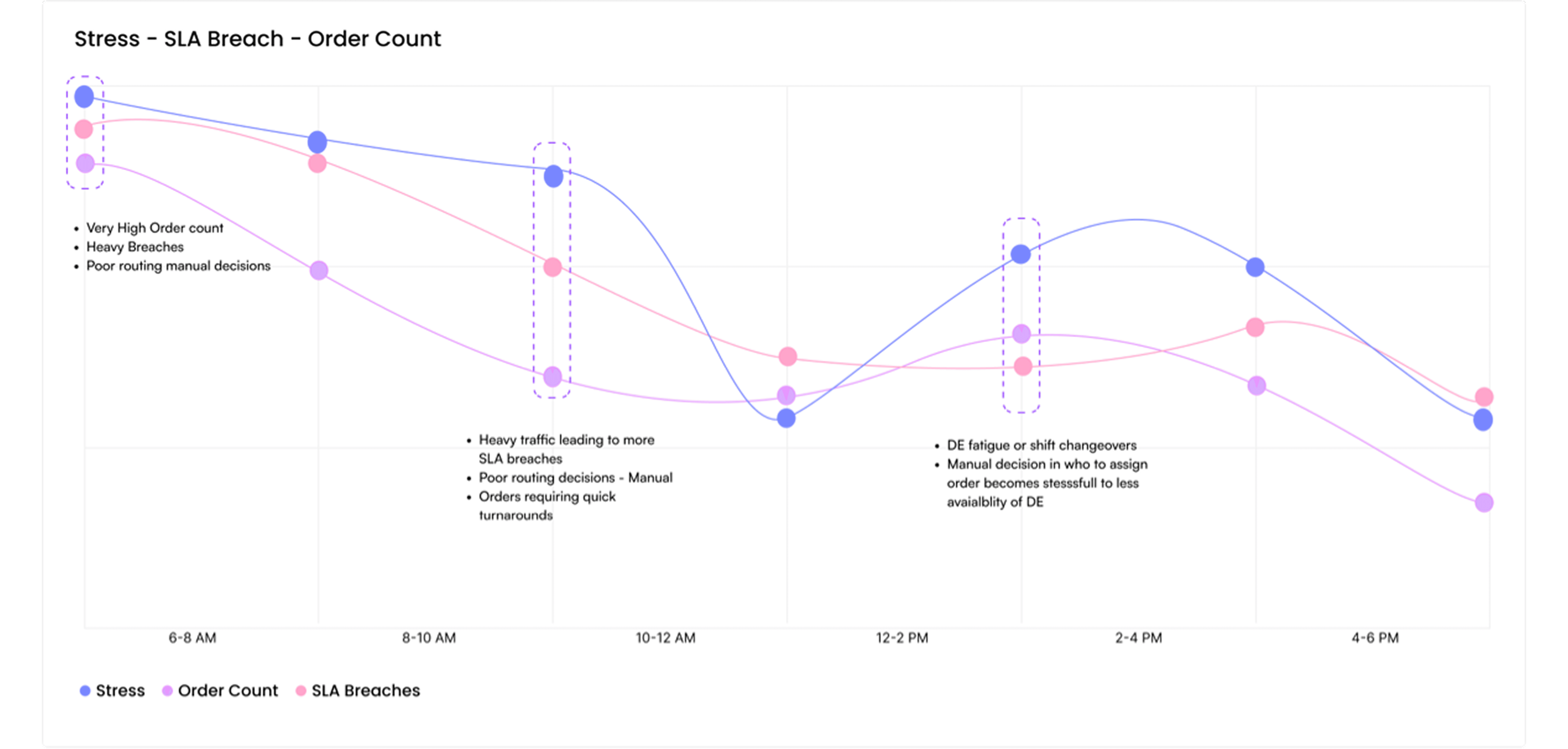
•Hub manager decisions were driven by urgency and visibility: "Which orders can I close the fastest?"
•Manual grouping created decision fatigue and inconsistent delivery timelines.
•Lack of visual clarity on how batches were formed or which orders were still pending created operational anxiety.
Clarity over system-generated batches and their logic
Control for Hub Managers without overwhelming them
Confidence that each batch meets SLA and DE efficiency metrics
Scalability — a system that could extend to automation without redesign
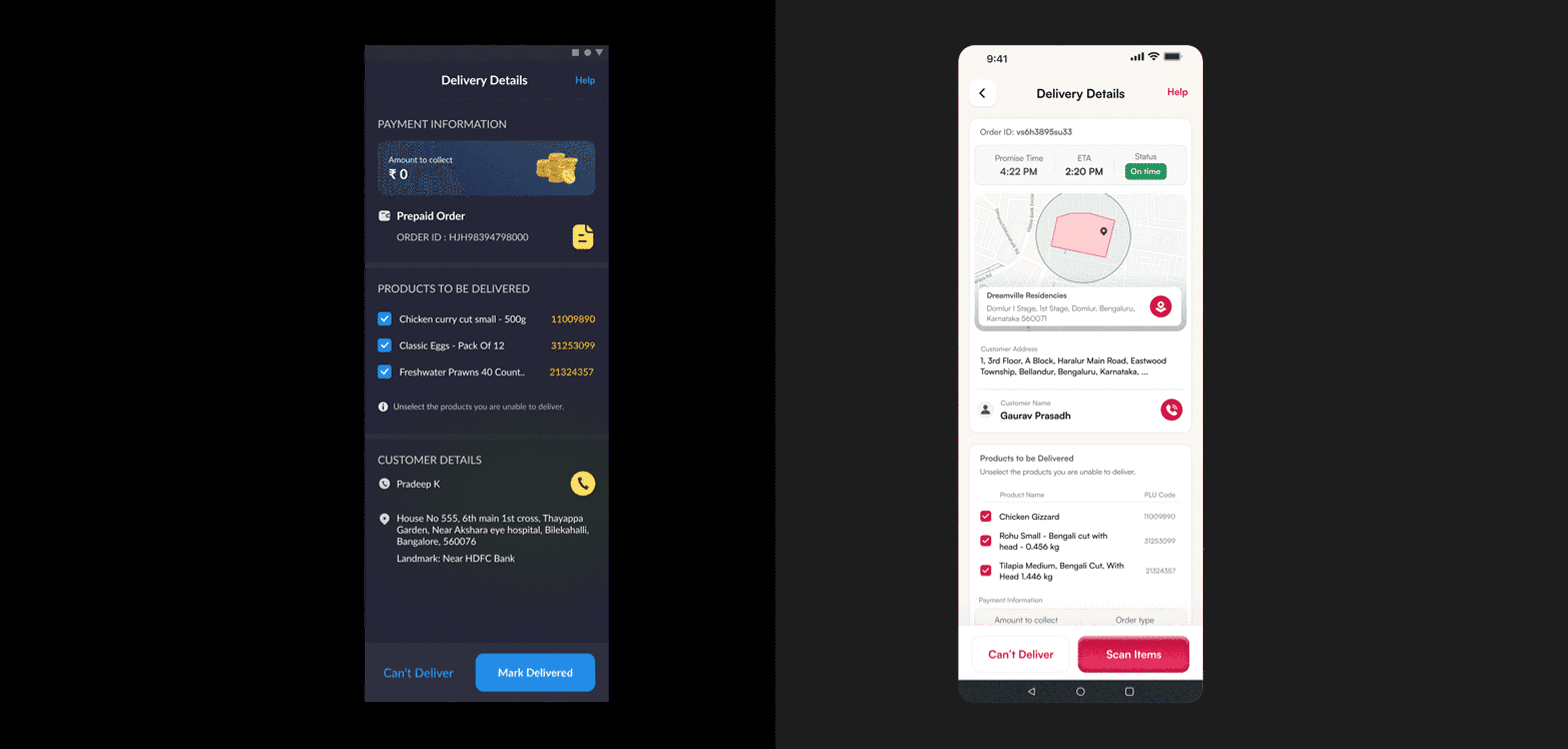
The older delivery screen was packed with information—but not in a way that supported DEs when it mattered most: right outside the customer's door.
🧭 During my ride-along, I noticed a DE fumbling between fields—order ID here, address there, products somewhere else. Toggling between mental tabs while standing in front of a customer wasn't just inefficient, it was stressful.
🎯 Design Insight: DEs needed a glanceable, focused interface that mirrors their on-ground flow—not a dashboard meant for a desktop.
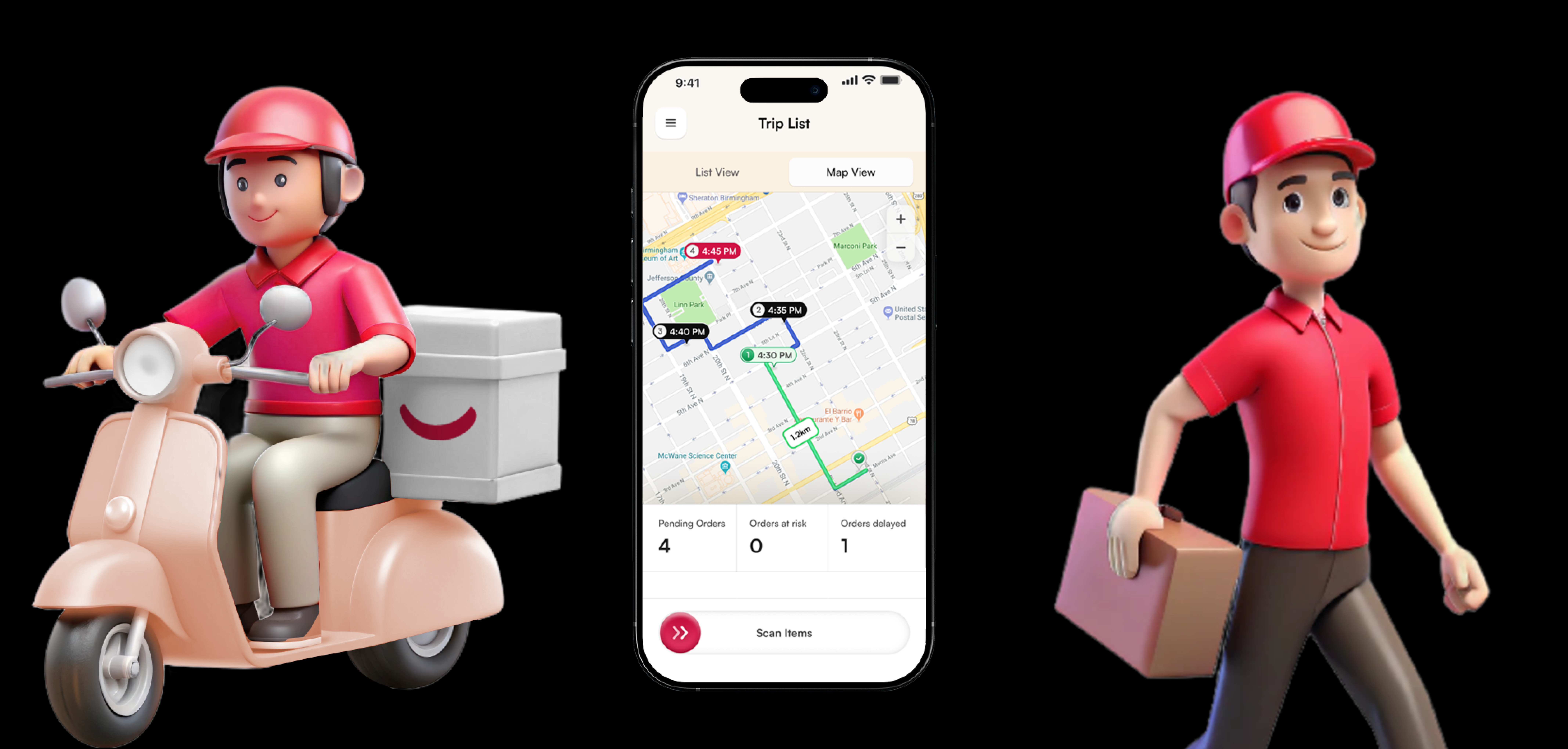
⚙️ Our Fix: We overhauled the Delivery Details screen to align with how deliveries actually happen.
• Map-first layout shows geo-accuracy and confidence in location.
• Promise Time + ETA gives clarity on punctuality, right upfront.
• Contact and address info grouped together for one-tap access.
• Delivery items clearly listed with product names and PLU codes for quick visual checks.
• Action buttons—“Can’t Deliver” and “Scan Items”—are given weight and space, making them easy to access under pressure.
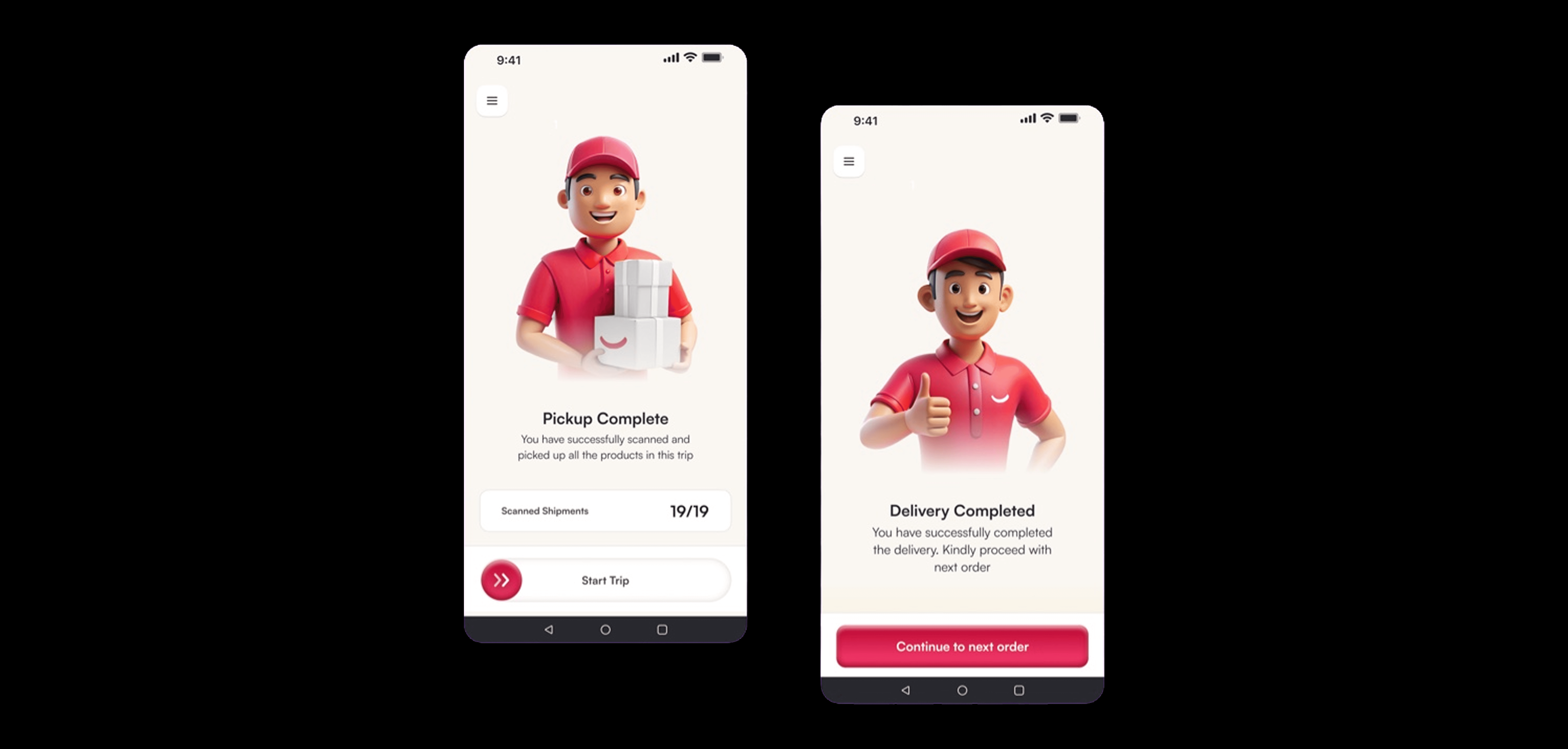
Not every design decision needs to be utilitarian—some are just meant to make someone smile.
In the final delivery screens, we softened the tone, brightened the colors, and made the buttons feel almost toy-like—rounded, bouncy, and friendly. Paired with a cheerful DE mascot giving a thumbs-up or holding packages with a grin, these screens aim to do one thing: put a small smile on the face of someone who's been on the road for hours.
From "Pickup Complete" to "Delivery Completed," we used kind, affirming language to celebrate progress and encourage momentum
Through this redesign, I wasn’t just solving for efficiency metrics or operational KPIs. I was solving for people. For the DE who zips up his bag hoping the next stop doesn’t make him look disorganized. For the one racing to meet SLAs while juggling addresses and packages. For all those who make the last mile look easy—even when it’s anything but.
By walking in their shoes—literally—I learned the difference between building for someone and building with them.
This wasn’t just a UX challenge. It was a chance to honor the invisible effort behind every successful delivery.